● BYOA · Bring Your Own AI

Your nutrition. Your personal goals. Your AI coach. Powered by your data, driven by your actions.

PastePlate-AI does not run its own AI in the cloud. You pick your AI (ChatGPT, Claude, Gemini, Grok…), chat about what you eat, and sync the full day into your logbook: macros, plant diversity and daily report with one paste.

€0Extra AI costs
15Plant categories
2Android & iOS
100%Stored locally
PastePlate-AI logbook on the Log tab: AI menu open with Start your AI coach, Fetch data and Import, with logged meals on 18 Jun.
Three steps in the AI menu, one calendar day

Works with every modern chat-AI

ChatGPT Claude Gemini Grok DeepSeek
★ What makes PastePlate unique

The only app built for AI written day, week and month reports.

Calorie apps give charts. PastePlate AI gives you personally written coaching reports from your own AI (Bring Your Own AI): structured, imported and stored word for word. Your optional personal note unlocks a section where the AI explores your own questions over time.

Personal coach note (optional): one free-text field in setup. Allergies, shift work, histamine sensitivity, or the question you have carried for years: “Why am I exhausted every afternoon?” No fixed checkboxes. You log meals and mention how you felt in chat; your AI coach writes Personal goal from your themes, with cautious pattern recognition across days and weeks.

Behavior & patterns is separate: eating behavior from your log (timing, snacking, weekend vs. weekday). Symptoms and questions from your note belong under Personal goal. Change your note under Settings → Profile; the coach adapts from the next chat onward.

Example: “You mentioned afternoon fatigue. On three of five workdays you ate a quick lunch after 2 p.m.; on quieter days that did not happen. Too early to conclude, but a thread to watch next week.”

The same sections in day, week and month reports

Every report uses the same emoji sections. The AI zooms out: today, the past week or the full month. Titles below follow the daily report. Personal goal only with a filled coach note. Hydration only with water tracking on.

  • 🧭 Personal goal Themes from your coach note: meals, timing and how you felt; patterns across days, weeks or months.
  • 📈 Weight status Weigh-in vs. earlier reading and target; trend and distance to goal (day, week or month).
  • 🧪 Physical context BMI, FFMI and body fat from measurements; composition alongside weight.
  • 🎯 Calories & protein Energy balance and protein vs. target; day, week or month total and what it means for your strategy.
  • 💧 Hydration Logged ml vs. daily, weekly or monthly target; optional tip when drinks were missing.
  • 💪 Protein & satiety Protein spread across the day or recurring week patterns; hunger link, not repeating the total.
  • 📊 Daily total & nutritional analysis Daily report: macro overview and intake vs. targets.
  • 🌱 Longevity & plant variety Unique plants and variety; week or month reports synthesize patterns across days.
  • 🥗 Nutritional quality Fat balance, fiber and processing level from logged macros; trend over the chosen period.
  • 🔄 Behavior & patterns Eating behavior: timing, repetition, choices; observation over the day, week or month.
  • ✅ Your win & what went well Concrete food or drink choices in the period.
  • 💡 Growth opportunities Learning moments about meals or timing in the period.
  • 🚀 Steps forward Up to 3 actions: for tomorrow (day), next week (week) or next month (month).

Each section is prose from your AI coach in day, week and month reports, stored word for word in the app. Share any section as a poster if you want. This is not a generic dashboard summary.

Bring Your Own AI, with imported reports this rich. Your AI writes. We provide the structure. You keep every word.

PastePlate-AI is a nutrition logbook and coaching workflow. It does not provide medical advice. Read our Health disclaimer.

PastePlate-AI daily report with emoji sections: personal goal, weight status, calories and protein, your win, growth opportunities and steps forward.
Scroll inside the phone
▲ The idea

One app.
Your intelligence.

The app ships the protocol. You bring the AI you already pay for, or use a free model.

🧠

Your favourite AI is the coach

Every new AI release makes PastePlate-AI smarter right away, because you chat in your own AI. No need to wait for an app update for that.

Tap for more

You pick your coach and switch anytime in settings. PastePlate-AI has no built-in AI: you chat in your own powerful model (ChatGPT, Claude, Gemini, Grok…) and paste the result back into your logbook. When your provider ships a better model, you benefit immediately: sharper macro estimates, better reports, deeper coaching, without waiting for an app update for that. We still update the app regularly with new features and improvements based on user feedback.

📋

A detailed protocol, built in

The start prompt includes your profile and standard goals, plus an optional written personal goal: your full story in your own words. Not a small text box, but the foundation your AI builds on for deeper analysis in every daily report.

Tap for more

Calorie target, strategy, coach tone, meal rules, plant diversity and exactly how your coach packages the day for import: all in one start prompt. Fill in your personal goal in your profile and your AI carries it into every chat, alongside your standard settings. Allergies, shift work, intolerances or questions like "why am I so tired every afternoon?": no fixed boxes, your words, room for your whole story. One chat per calendar day keeps the coach consistent, from your first meal to the daily report you import at the end of the day.

That daily report follows a fixed structure with sections such as personal goal (deeper analysis from your written goal and what you share in chat), weight status, physical context (body fat %, BMI, FFMI), calories & protein, hydration, protein & satiety, daily total & nutritional analysis, longevity or plant variety (or variety & balance), nutritional quality, behavior & patterns, your win & what went well, growth opportunities and steps forward for tomorrow.

🔒

Your data stays yours

Meals, measurements and reports live in a local database on your phone. Back up your logbook or export spreadsheets. No cloud account.

Tap for more

No PastePlate cloud: your logbook stays on your device and we have no access to it. No tracking, no selling data. You control backups and can transfer your database between Android and iOS. After you paste into an AI, that provider's privacy rules apply, not ours.

Tap a card for the full picture

⟳ How it works

Three steps.
One calendar day.

Tap the icon at the top centre of the app. The same three menu items repeat every day.

AI menu · Start

Start your AI coach for today

Tap the AI icon at the top centre 1 to open the AI menu. Three options belong to one calendar day. This is where you start the day.

  • Choose Start your AI coach for today 2: short guide in PastePlate, what to paste and where
  • Tap Got it: start prompt copied, your AI opens. Already know the steps? Turn on don't show this again on the guide, or turn off paste helper under Settings, My AI coach. Then skip the guide and go straight ahead.
  • New chat for that day: paste, log the whole day in that chat
AI menu: Start your AI coach for today.
AI menu · Fetch

Fetch data from AI chat

At the end of the day, often the next morning: tap the AI icon at the top centre 1 to open the AI menu again. Same calendar day as this morning.

  • Choose Fetch data from AI chat 2: short guide in PastePlate, what to paste and where
  • Tap Got it: fetch instruction copied, your AI opens. Already know the steps? Turn on don't show this again on the guide, or turn off paste helper under Settings, My AI coach. Then skip the guide and go straight ahead.
  • Same chat for that day: paste, wait for the data block, copy the full block from the reply
AI menu: Fetch data from AI chat.
AI menu · Import

Import data from AI

Back in PastePlate-AI, with the data block on your clipboard: tap the AI icon at the top centre 1 to open the AI menu. This completes the same calendar day.

  • Choose Import data from AI 2: paste screen opens in PastePlate
  • Paste the data block: extra text around it does not matter, PastePlate finds the block itself → tap Validate data block
  • Tap Add all: logbook, reports and library updated
AI menu: Import data from AI.
Full walkthrough with all 13 screenshots
AI menu · Start

Tap the AI icon at the top centre 1 to open the AI menu. Choose Start your AI coach for today 2.

Paste guide · Start prompt

Short guide in PastePlate: after Got it, the start prompt is copied and your AI opens (app or browser). PastePlate cannot paste automatically. Optional: check don't show this again. Tap Got it.

AI chat · Welcome

Welcome message received. Your coach knows the calendar day and your goals. Log meals in this chat: talk, send photos or let the coach estimate.

Example · Label photo

Example of a logged meal with a label photo. Your coach calculates macros, day total and coach insights.

All day · Burn

You can chat with your AI coach all day and send photos. Using a smartwatch? Report your burned calories at the end of the day, often the next morning because your watch stops counting for that calendar day at midnight.

AI menu · Fetch

At the end of the day: tap the AI icon 1 to open the menu again. Choose Fetch data from AI chat 2. Same calendar day as this morning.

Paste guide · Fetch

Short guide: after Got it, the fetch instruction is copied and your AI opens. PastePlate cannot paste automatically. Optional: don't show this again. Tap Got it.

AI chat · Data block

After you paste the data request instruction into your AI chat, your coach creates a data block in the reply. Copy the entire block using the copy button at the block. This example shows Gemini because you selected that coach under My AI coach during setup.

AI menu · Import

Back in PastePlate-AI: tap the AI icon 1. Choose Import data from AI 2.

Import · Paste

Import AI data paste screen. Paste the data block into the field, or tap Paste from clipboard. Extra text around it does not matter.

Import · Validate

The data block is in the field. Tap Validate data block.

Import · Add

PastePlate shows found meals, smartwatch burn, reports and library items. Tap Add all.

Summary

Three options belong to one calendar day: 1 Start your AI coach for today, 2 Fetch data from AI chat, 3 Import data from AI.

↓ First launch

Set up once.
Log every day.

After install you walk through a guided setup. Then the same three AI-menu steps repeat every calendar day.

The same welcome clip as in the app after language selection. Optional. Tap to play.

About 4 to 5 minutes, one time. After that, three taps per day in the AI menu.

1

Choose language

Tap for more

Dutch, English and 12 more languages. Menus, prompts and reports follow your choice. Then optionally the welcome video, the same clip as above.

2

Set profile & goals

Tap for more

Wizard steps 1 to 13: gender, age, weight, height, main goal (cut, maintain or bulk), pace and focus, optional target weight and name. Then activity, smartwatch, longevity mode and water intake.

3

Set up your coach

Tap for more

Coach style: choose how your AI coach speaks, Standard, Motivator, Athlete or Vitality.

AI coach: you always use your own AI chat. PastePlate copies the prompt; you paste it in a new chat. Pick ChatGPT, Claude, Gemini, Grok or DeepSeek as your preference: the app opens that coach after copying, via app or browser. With Clipboard only the app opens nothing; you paste wherever you like. Pick a date when fetching data, useful for free models. Summary and save. Custom later in Settings.

4

Learn the daily workflow

Tap for more

Optional, right after saving. Short summary or full walkthrough (13 screens). Same flow as How it works: Start coach, Fetch data, Import.

5

Start logging

Tap for more

Every calendar day three steps in the AI menu: start coach, fetch data in the evening, import. Log the whole day in one chat.

Tap a step for details

Macro targets, body fat goals and more fine-tuning live in Settings after setup. Nothing is locked in forever.

◆ Nutrition logbook

Not just calories. Everything that counts, and why.

Every meal is stored with its full nutrient panel: macros, fat quality, fibre, salt, plant ingredients and recipe text. Day, week and month views show scores, energy balance and, with Longevity on, your plant count. Tap through to the meals behind each score.

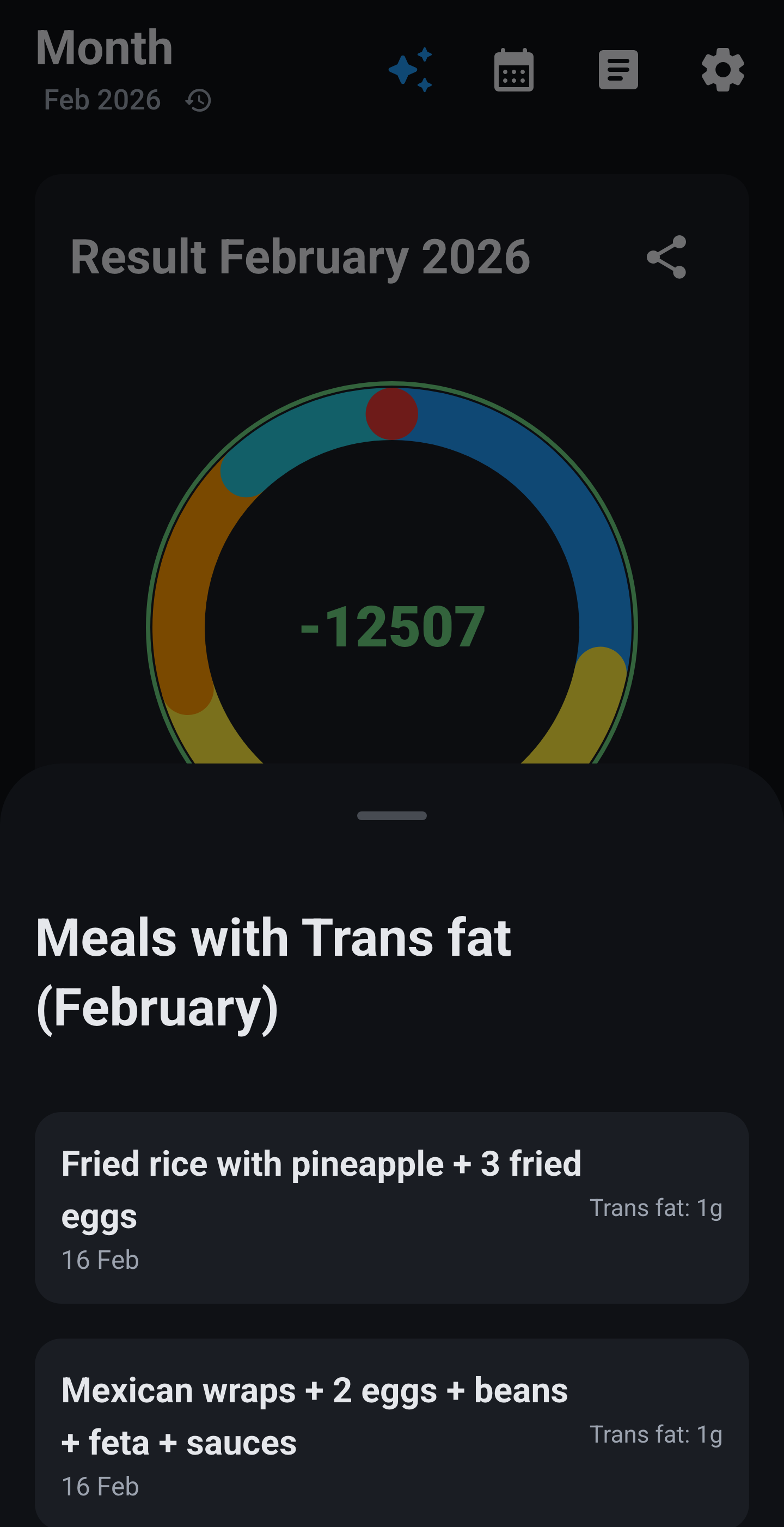
Month circle with trans fat selected: meals list showing which dishes contain trans fat.
Month · trans fat · meals
Circles

Energy balance & macro scores

The coloured halo around each circle shows intake vs. burn. Segments score protein, carbs and fats (green, orange, red). In week and month view, every day gets its own mini-circle.

Macro analysis

Which meals, and why this score?

On any day, week or month circle: tap a macro segment → Analysis optionsView meals to see which dishes drove the score, or Why this score? for a plain-language breakdown per nutrient.

Week view scroll: macro circle, plant diversity bar and per-day mini-circles.
Scroll · week · plant counter
Longevity mode

30 unique plants per week

When Longevity is on in your profile, PastePlate counts unique plants automatically via a strict 15-category protocol. In week view you see your progress (e.g. 40 / 30); in the plant explorer per day or week you see which species you've logged and which categories are still empty.

With every meal, your AI coach receives which plants and categories are already in your logbook this week, Monday through today, straight from the app database. That lets him actively steer toward new species rather than repeating the same plants.

With Longevity on, your coach also steers on fat quality (more unsaturated, 0 g trans fat) and fibre, alongside the plant count.

The 30-plants-per-week goal is inspired by the American Gut Project: more plant diversity supports a healthier microbiome.

Plant explorer with 15 categories, species logged and missing categories.

↕ Scroll · 15 categories

★ Strategy & goals

Cut, maintain or bulk. with real math.

Your goal drives how the AI judges every meal and how the day-circle halo reads your balance. PastePlate starts from your estimated daily burn (BMR × activity), then adjusts per strategy.

Cut · lose weight

Daily deficit: kg per week × 7700 ÷ 7 (7700 kcal ≈ 1 kg body weight)

  • 0.25 kg/week → about 275 kcal below maintenance per day
  • 0.50 kg/week → about 550 kcal per day
  • 0.75 kg/week → about 825 kcal per day

Gain · bulk

No pace slider: you pick a focus. Each focus adds a fixed daily surplus on top of maintenance (not the 7700 ÷ 7 formula):

  • Lean bulk+150 kcal/day · high protein · slow, clean growth
  • Clean bulk+250 kcal/day · balanced macros · more room for recovery
  • Strength & mass+500 kcal/day · high protein · heavy training support

Protein targets come from your fat free mass; lean bulk and strength use a higher factor than clean bulk.

Maintain

Calories at your estimated burn. No fixed surplus or deficit.

Set strategy, pace or focus in setup or under Settings → Profile. The coach and your circles use the same numbers.

Profile screen with goal selection and longevity toggle.
⬢ Built in

More than a logbook

Four bottom tabs: Log · Week · Month · Measurements. Plus AI workflow, archives and tools from the menu. Macro circles and Longevity plants are covered in the logbook section above.

Core

Logbook & AI workflow

Log meals through your own AI chat. Copy the export block back into PastePlate. The app never calls the internet by itself.

🗂️
Reports

Coach report archive

Import day, week and month reports from your AI. Readable prose, stored word for word. Open from the archive in the top bar.

⚖️
Measurements

Measurements hub

Weight, body fat, sizes, strength, sport, blood pressure and cholesterol. Trend charts with a shared date range on the Measurements tab.

Energy

Watch burn via AI

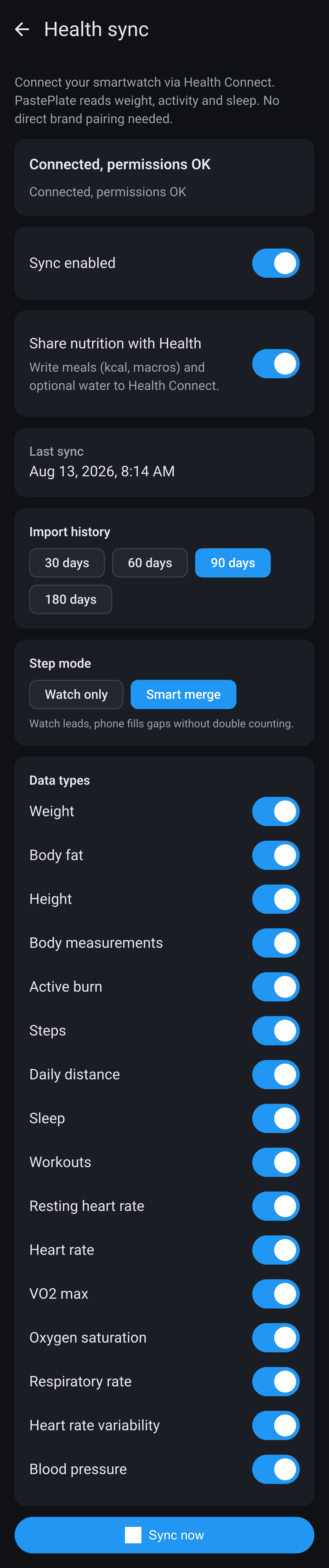
No direct watch sync. Turn on smartwatch mode and paste your daily burn from your watch app in the AI chat. Circles compare intake and burn.

📚
Library

Meal blueprints

Save favourite meals as reusable sources of truth for every new chat.

📅
Planning

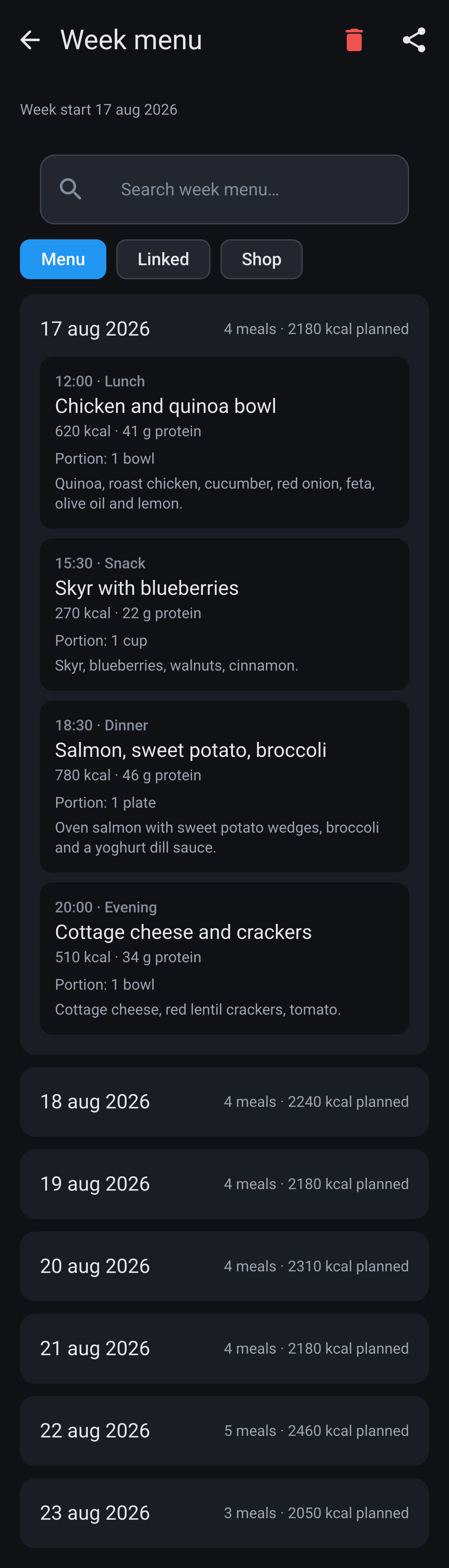
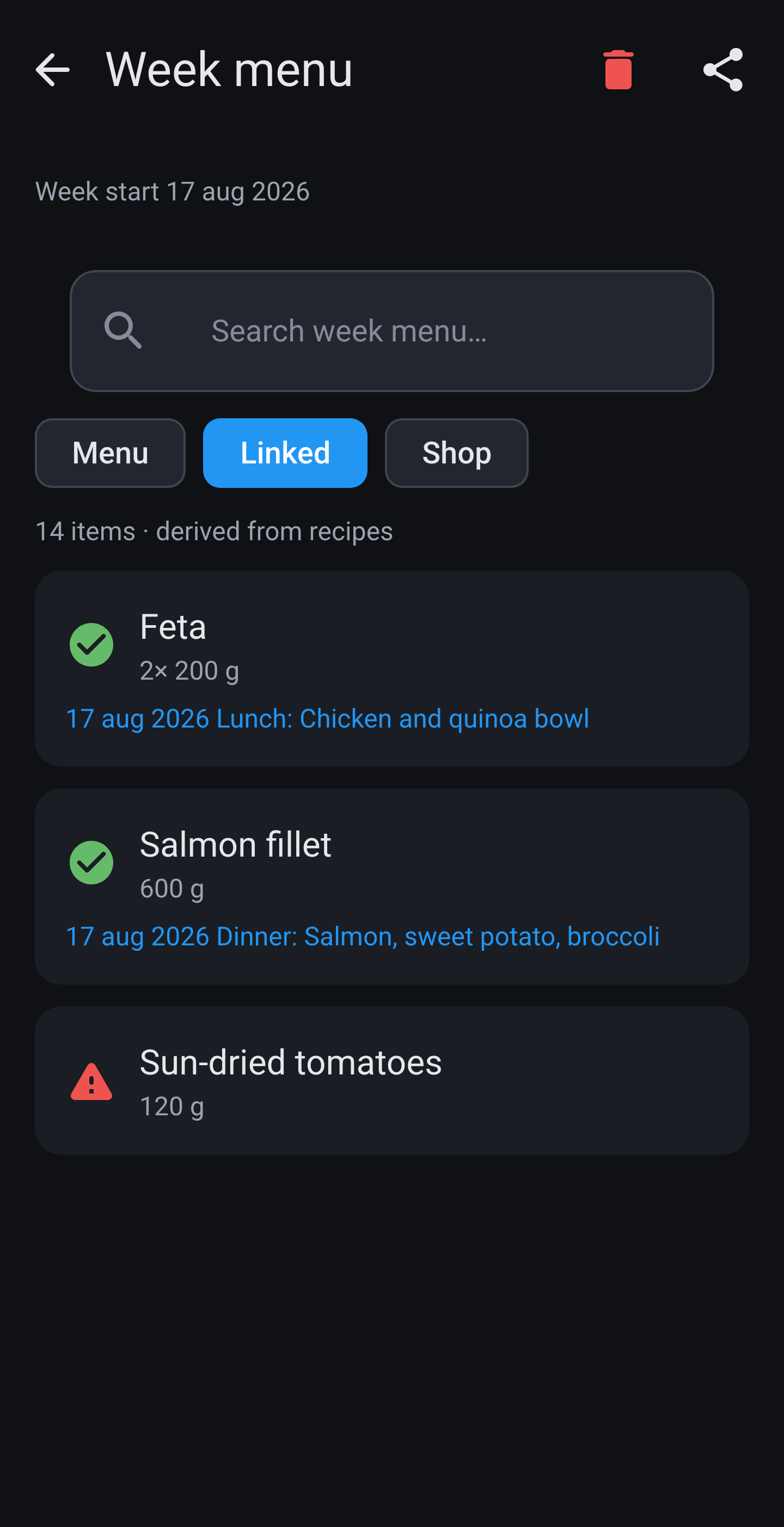
Week planner

Plan the week with your AI workflow and import structured meal plans into the logbook.

💧
Hydration

Water tracking

Optional daily water goal in your profile. Logged in the app and included in coach reports when enabled.

💾
Database

Back-up & transfer

Local backup, restore and health check. Move your logbook between Android and iOS from Database tools in the menu.

🎭
Coach

Style & AI app

Four coach voices, strategy overlays and your preferred AI app. PastePlate opens it at each workflow step.

€ Pricing

Try free for a week

One subscription unlocks the full app. Your AI subscription (ChatGPT, Claude, Gemini…) stays separate. We never charge for tokens.

7-day free trial · cancel anytime before it ends

Monthly

€8.99

per month after trial

  • Full access to PastePlate-AI
  • Android & iOS
  • Cancel anytime

Bring Your Own AI: free or paid online chat-AI (ChatGPT, Claude, Gemini, Grok, DeepSeek…). PastePlate-AI does not add AI usage fees.

Prices shown in EUR. Google Play and the App Store may show local currency and tax-inclusive prices in your country.

❖ Privacy by design

Your logbook stays on your phone.

No cloud, no tracking. The only link to your AI is the clipboard. You choose when to paste.

? FAQ

All questions answered

Search below — workflow, import, reports, plants, backup and more.

AI workflow (BYOA)

Do I need a paid AI subscription?

No. Free models work well. A paid plan usually gives better macro estimates and deeper coaching. The built-in protocol helps even small models behave professionally.

Does PastePlate call the internet by itself?

No. All AI communication is copy-paste via your clipboard. The app never connects to ChatGPT, Claude, Gemini or any other provider in the background.

Does this work offline or with a local model?

No. You need an online chat-AI (ChatGPT, Claude, Gemini, Grok, DeepSeek…). PastePlate-AI has no built-in AI and does not support offline or local models such as Ollama for the coach workflow. Your logbook stays on your phone; the coach step is copy-paste into a live AI chat in your browser or app.

What are the three steps in the AI menu?

1. Start your AI coach for today (start prompt). 2. Fetch data from AI chat (export instruction). 3. Import data from AI (paste the export block). Same three steps every calendar day.

Do I need a new chat every day?

Yes. Use one chat per calendar day. Start in the morning, log all day in that chat, then fetch and import at the end of the day (often the next morning if you wait for watch burn).

Why does the app not open my AI automatically?

Check Settings → My AI coach and Open via (browser or app). If you chose None, PastePlate only copies to the clipboard. Free accounts work best with Gemini, Claude, Grok and DeepSeek; paid subscriptions work with all listed providers.

Can I switch AI providers later?

Yes. Change your coach under Settings → My AI coach. The next session uses the new choice.

What does “None” as AI coach mean?

PastePlate copies prompts to the clipboard only. You open ChatGPT, Claude or any other tool yourself.

What is the paste helper?

Optional short instructions after copying a prompt. Toggle under Settings → My AI coach → Show paste helper. You can enable it per flow: start, fetch data, week plan request and week plan fetch.

Can I import several days in one block?

Yes. The preview shows how many meals and days are in the block. Daily reports, watch burn and week/month reports can be included when present.

Must I copy the entire export block?

Yes. Copy from the first { through the last }, including the report text line. Extra markdown around it is usually ignored.

Can I use a custom AI URL?

Yes. Settings → My AI coach → Custom https link. Enter a valid https URL and optional display name.

Import & troubleshooting

Import failed or “no usable block” — what now?

Usually the export block was cut off, edited by hand or incomplete. Use Fetch data from AI chat first, then copy the full block from the reply. Do not paste your own summary. If it still fails, ask your coach again for the data block and check nothing is missing before or after the structured block.

What if the AI estimates wrong macros?

Edit any meal afterwards in the logbook. For recurring meals, save a blueprint in My Library via your coach (“save as favorite”). The AI uses it as source of truth from then on.

Weekly report not updated on Sunday?

If the week report is missing or empty in your coach's export, the existing week report is not overwritten. Ask your coach again and re-import.

Monthly report not updated on the last day of the month?

Same rule as week reports: if the month report is missing or empty in your coach's export, the old month report stays in place. Re-fetch from your coach.

Report no longer matches my current profile

Reports use the profile that applied on that day (profile history). To realign: open that day’s circle, tap + → Start your AI coach for that date, then fetch and import again.

Missing base_weight on library items in preview?

Those favorites are stored as 100 g for now. Check and edit them in My Library after import.

Coach reports & personal note

Where are my day, week and month reports?

In the saved AI reports archive (top bar). Text is stored word for word after import, not regenerated by the app.

What makes PastePlate reports different from other apps?

Most calorie apps show charts. PastePlate imports personally written coaching prose from your AI: fixed sections (macros, quality, behavior, wins, next steps) stored verbatim.

What is 🧭 Personal goal vs 🔄 Behavior & patterns?

Personal goal comes from your optional free-text coach note (fatigue, intolerances, questions you want to explore). Behavior & patterns covers eating behavior from your meal log: timing, snacking, repetition, food quality. Symptom themes belong in Personal goal, not Behavior.

Where do I set my personal coach note?

During setup or under Settings → Profile → Extra info for the AI coach. It is included in every start prompt and opens each report at Personal goal.

Can the AI diagnose my symptoms?

No. Pattern sections are for self-reflection and discussion, not diagnosis or treatment. See our Health disclaimer.

Does PastePlate give medical advice?

No. PastePlate-AI is a nutrition logbook and coaching workflow. AI reports are for self-reflection, not diagnosis or treatment.

Can I share report sections?

Yes. Share posters are available from report sections and milestone screens (weight, plants, month goal and more).

Which sections are in day, week and month reports?

The same emoji sections in every report: personal goal (when filled in), weight status, physical context (body fat %, BMI, FFMI), calories & protein, hydration, protein & satiety, daily total & nutritional analysis (day), longevity & plant variety or variety & balance, nutritional quality, behavior & patterns, your win & what went well, growth opportunities, steps forward (tomorrow, next week or next month). The AI zooms out per period.

Do week and month reports have the same idea?

Yes: the same sections as the daily report, with week or month totals and deeper pattern review. Steps forward targets next week or next month. Import them in the same export block when the calendar ends the week or month.

Logbook, circles & scores

What do the four bottom tabs do?

Log · Week · Month · Measurements. The first three are the same meal log at different time scales. Measurements is your health hub (weight, fat%, sport, etc.).

What does the coloured halo around the circle mean?

Energy balance: intake compared to burn (from your watch via AI or from activity estimate).

What do green, orange and red segments mean?

Macro scores for protein, carbs and fats relative to your targets for that day, week or month.

Why “no score” on a day?

Either no nutrition and no burn data, or a fasting day with burn but little or no food logged. Add meals if you ate; the score updates automatically.

How do I see which meals drove a score?

Tap a macro segment → Analysis options → View meals or Why this score? for a plain-language breakdown.

Can I edit meals after import?

Yes. Edit in the logbook; totals and scores recalculate.

Can I search the logbook?

Yes, on the Log tab by meal name across your history.

What nutrients are stored per meal?

Macros, fat quality, fibre, salt, plant ingredients, recipe text and more — not just calories.

Strategy & goals

How are calorie targets calculated?

Start from estimated daily burn (BMR × activity). Cut: deficit = kg per week × 7700 ÷ 7 (e.g. 0.25 kg/week ≈ 275 kcal below maintenance). Bulk: fixed surplus by focus — lean +150, clean +250, strength +500 kcal/day (not the 7700÷7 formula). Maintain: at estimated burn.

Where do I change pace, focus or main goal?

Settings → Profile. The coach and circles use the same numbers.

Is target weight required?

No, optional during setup. Some maintenance features and share posters need a target weight.

What happens if I change my main goal mid-month?

The app marks “goal changed in this period”. Pace comparison may pause until your goal is stable again (about 14 days with enough measurements).

What is profile history?

A snapshot of your profile and goals for each day. Older days used the goals that applied then — important for reports and circles.

Weight from measurements vs profile?

You can use logged weight measurements to feed goal calculations. Configure under Settings → Profile.

What is the projected weight line on trends?

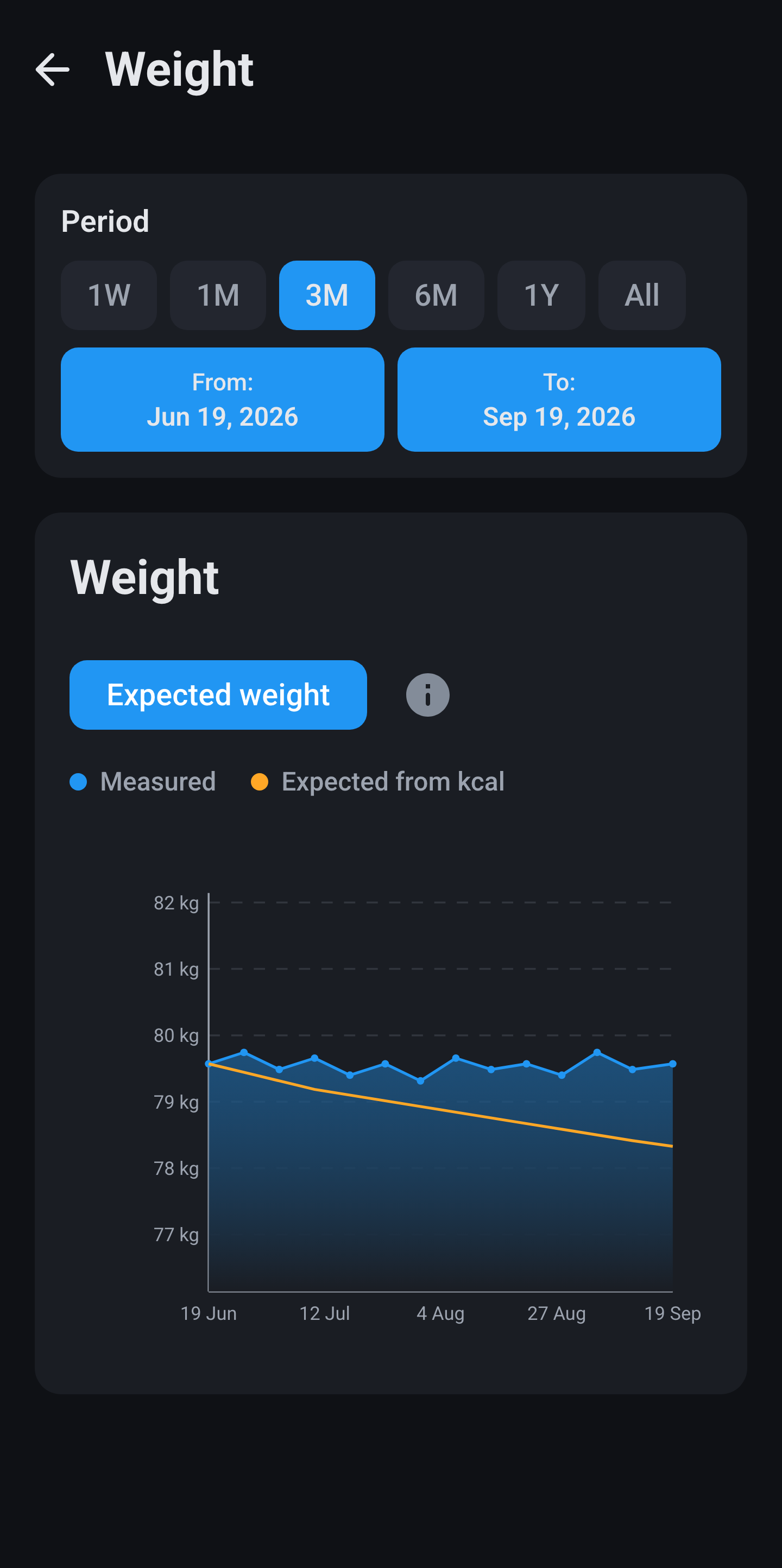
It starts at your oldest weight in the range and cumulatively applies daily calorie surplus/deficit (intake minus burn, 7700 kcal per kg) to show whether your logbook explains the scale.

What is “focus” when losing weight?

Examples: get leaner, strength, balanced — affects protein factor and how the coach frames advice.

Smartwatch & energy

Does PastePlate sync with Garmin or Apple Watch?

No direct sync. Turn on smartwatch mode in your profile and paste daily burn from your watch app into the AI chat. It arrives in the app via import.

When should I send watch calories to the coach?

Often the next morning: many watches finalize the previous calendar day around midnight.

What if I do not use a watch?

The app estimates burn from your activity level in Profile. You can adjust activity per day in the logbook.

Where do I see watch burn in the app?

On the day detail (e.g. “Garmin burn”) and in energy balance on the circle.

Longevity & plants

What does Longevity mode do?

Longevity mode: unique plants via a strict 15-category protocol, 30 plants per week goal, plant explorer per day/week. With Longevity on, your coach also gives feedback on fat quality and fibre in chat and reports.

Must Longevity be on to see plant counts?

Yes. Without Longevity, the plant counter and week goal are hidden.

Coach style Vitality vs Longevity toggle?

Vitality (Longevity coach style) expects Longevity mode on. To turn Longevity off, pick another coach style first under Settings → Coach style.

How are plants counted?

Your AI labels plants and categories in meals following the built-in protocol. The app counts unique species; it does not guess plants on its own.

When can I share a plant week poster?

In Longevity mode when your weekly plant goal is reached (green bar). Optional in-app banner on the week tab; no push notification.

My Library (meal blueprints)

How do items get into My Library?

Not manually. Tell your coach in chat to save a meal as favorite with a name. It arrives automatically when you import that day.

How do I eat a favorite again later?

In a new chat, state grams and use the exact name from your library list (e.g. “I had 200 grams of pumpkin puree”).

What is blueprint weight?

Macros on the card apply to the total gram weight shown. Your coach sets this. Edit in the library if needed.

Can I edit or delete favorites?

Yes, in My Library from the menu.

Week planner

Where is the week planner?

Open from the week tab / week planner hub icon.

How do I create a week plan?

Use the wizard: Request week plan → paste in AI → Fetch week plan (short export) → import the week plan block.

Does the coach use my week plan?

The active plan for “this week” is included in your start prompt. Older plans are view-only.

Request vs fetch week plan?

Request = full planning prompt to start a new plan. Fetch = short instruction to export only the week plan block from an existing chat.

Measurements tab

What can I log under Measurements?

Weight, body fat %, body sizes, strength, sport, blood pressure and cholesterol, with trend charts and shared date range on the hub.

Overview vs Trends under Measurements?

Overview = hub tiles and mini charts. Trends = longer moving-average lines. BMI and FFMI lines use zone colours on supported charts.

Why BMI alone is not enough

BMI does not tell the full story. The app offers education and FFMI (weight + body fat %) for more context.

Do measurements sync to the AI automatically?

Relevant values are included in your start prompt and can appear in reports after you log and import. There is no separate cloud sync.

Does changing the hub date range affect all charts?

Yes. The range is shared across Measurement sub-screens and syncs back to the overview when you navigate.

Database, backup & privacy

Is my data sold to advertisers?

No. There is no PastePlate server that sees your logbook. Data stays on your device unless you back up or paste into an AI yourself.

Where is my data stored?

In a local database on your phone or tablet. No cloud account required.

How do I back up?

Menu → Database: create backup, choose folder, optional automatic backups and retention.

Can I move my logbook from Android to iPhone?

Yes. Database → restore backup. The app detects Room (Android) vs SwiftData (iOS) and converts. Both apps must be recent enough for the schema pin.

Export to spreadsheet?

Menu → Export to CSV.

What does PastePlate see of my AI chats?

Only what you paste into the app. After that, your AI provider’s privacy rules apply.

How do I wipe all data?

Menu → Clear logbook… (destructive; confirmation required).

Android and iOS?

Yes. Same workflow on both. Exchange data via built-in cross-platform database transfer.

Subscription & pricing

What does the PastePlate-AI subscription include?

The full app: logbook, AI workflow, measurements, reports, week planner, backups and cross-platform transfer. Your AI chat subscription is separate.

Do I pay PastePlate for AI tokens?

No. Any token cost is between you and your AI provider if applicable.

What does the free trial include?

Full app access for 7 days, then €8.99/month or €79.99/year unless cancelled in the store before the trial ends.

Coach style & language

Which coach styles exist?

Default, Analyst, Motivator, Calm, plus overlays Vitality (Longevity) and Athlete (bodybuilder framing). Change under Settings → Coach style.

Do coach styles rewrite old reports?

No. Only new AI sessions and imports use the new style.

Which languages are supported?

Dutch, English and more. Menus, start prompts and report structure follow your app language.

Does the app track medication or supplements?

Not as a product feature. Coach protocol avoids supplement hype. Never use the app for medical decisions — see Health disclaimer.

Notifications & share posters

Does the app send push notifications?

Optional: inactivity reminder and morning motivation (permission required). Many “notifications” are in-app share sheets only — no push.

Weight milestone Δ poster (every 5 kg)?

In-app share hint at each new 5 kg step toward your goal. Anti-spam setting available.

Target weight or body fat reached posters?

In-app share sheet after you log the milestone. Templates match your profile (loss/gain, man/woman for fat target).

Month goal poster?

Available with a green month calorie ring and known burn data. Not shown for pure maintenance goals.

Setup & product

How long does first-time setup take?

About 4 to 5 minutes for the 19 step profile wizard, then optional short or full daily workflow tutorial (13 screens).

Can I change profile details later?

Yes. Settings → Profile. Macro targets, body fat goals and fine-tuning live there too.

Is PastePlate a health dashboard?

It is a nutrition logbook with a Bring Your Own AI workflow and imported coach reports — not a generic medical dashboard.

How is this different from MyFitnessPal or calorie apps?

No built-in AI. You import rich prose reports, plant diversity, behavior sections and optional personal goal tracking from your own coach.

Can I see the daily workflow again after setup?

The full walkthrough is on this site under How it works. The in-app tutorial runs once during onboarding.

↓ Coming soon

Launching on Android & iOS

PastePlate-AI will be available in the Google Play Store and Apple App Store soon. Start with a 7-day free trial, then €8.99/month or €79.99/year.